- Home
- Products
- KVM Switch & KVM Matrix
- ASVPM-G3124
4 Ports Asynchronous Dual Monitor Hybrid View Mode KVM Switch, EDID, HDCP Engine, Keypad Control
ASVPM-G3124
4K60 4-Port Asynchronous Dual Monitor Hybrid View Mode KVM Switch, EDID, HDCP Engine, Keypad Control, ASVPM-G3124
Are you looking for a KVM switch that allows you to switch between all possible combinations of four computers and two monitors?
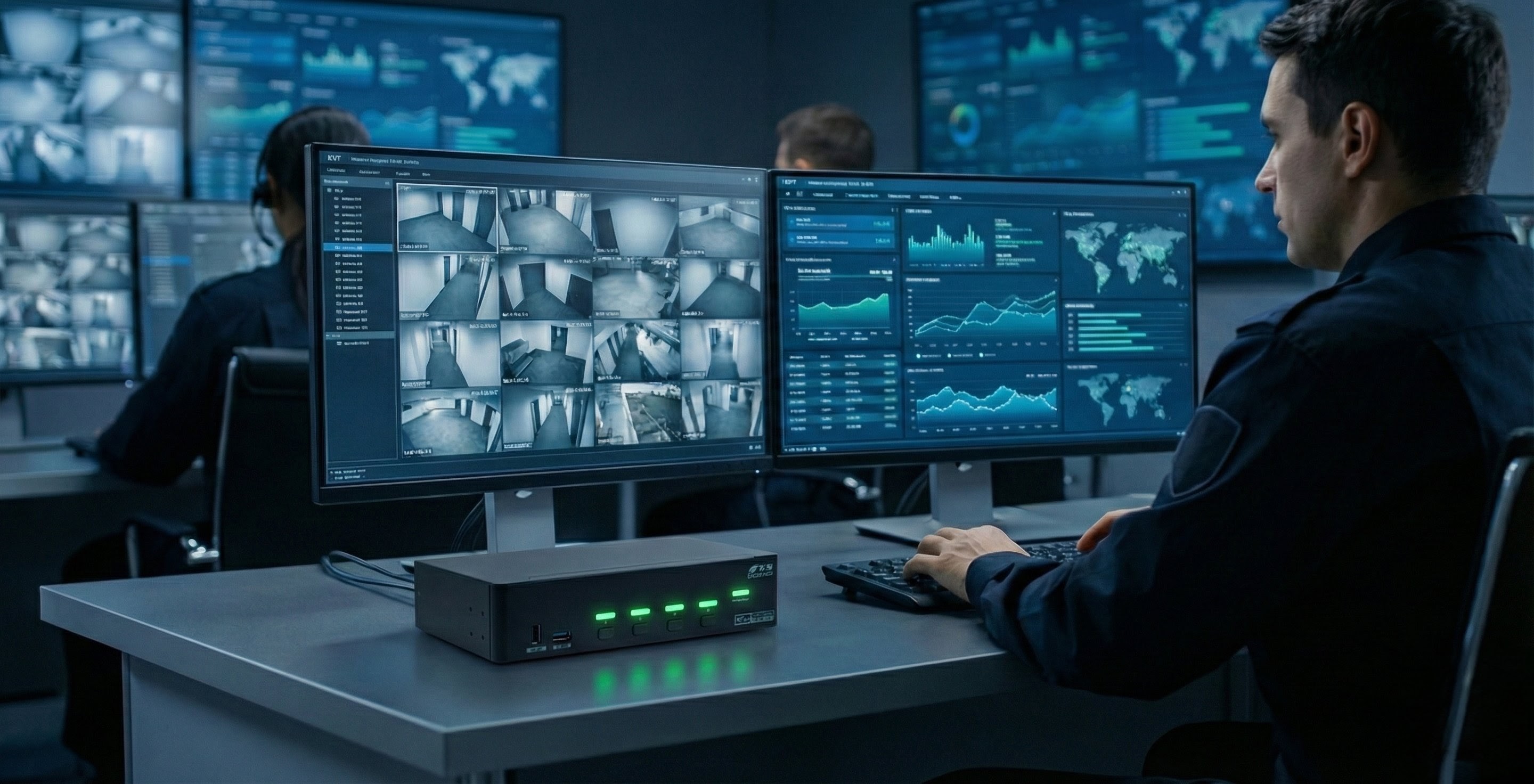
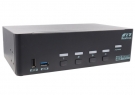
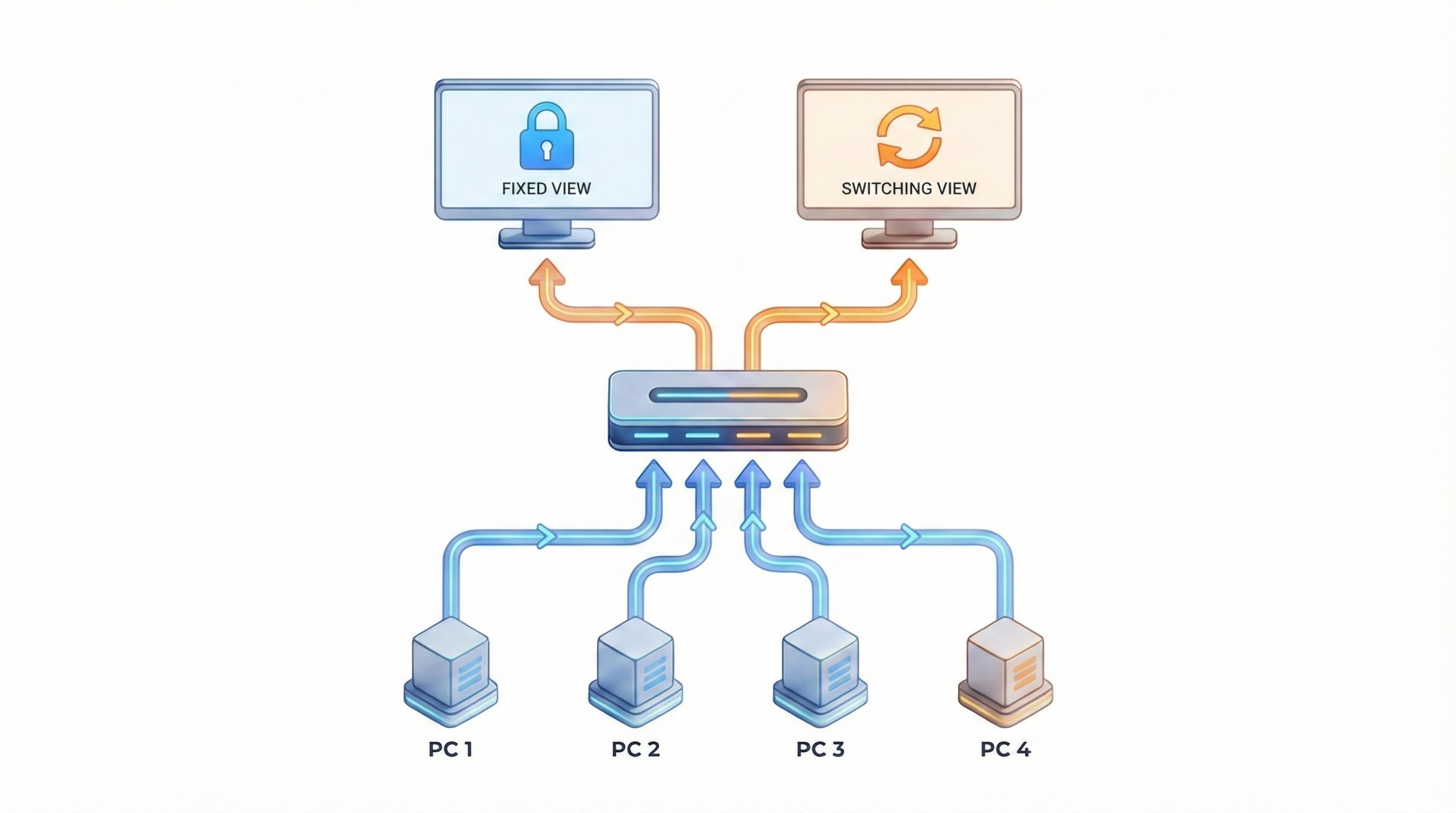
Hybrid View Mode KVM Switch, ASVPM-G3124, is a 4K@60Hz 4 ports asynchronous dual monitors KVM switcher that supports “independent video switching " or "video parking” to assign different monitors to display video outputs from the same or different connected PCs.


The ASVPM-G3124 Rextron Hybrid KVM switch supports resolutions of up to 4096x2160@60Hz (4:4:4) per port. It has dedicated USB ports on the front and rear that are suitable for long-term and temporary access to USB peripherals. The built-in advanced HDCP engine and HDCP management function prevent misalignment issues during port switching. The dual-view setup extends your desktop and expands your work area across displays, enhancing productivity, and is an ideal solution for content creators and graphic designers. The EDID copy buttons allow the KVM switch to copy or automatically learn EDIDs from connected monitors. The unique EDID management function ensures optimized picture output without flickering or a dark screen.
Synchronous Switching


The ASVPM-G3124 Rextron Hybrid KVM switch supports resolutions of up to 4096x2160@60Hz (4:4:4) per port. It has dedicated USB ports on the front and rear that are suitable for long-term and temporary access to USB peripherals. The built-in advanced HDCP engine and HDCP management function prevent misalignment issues during port switching. The dual-view setup extends your desktop and expands your work area across displays, enhancing productivity, and is an ideal solution for content creators and graphic designers. The EDID copy buttons allow the KVM switch to copy or automatically learn EDIDs from connected monitors. The unique EDID management function ensures optimized picture output without flickering or a dark screen.
Synchronous Switching
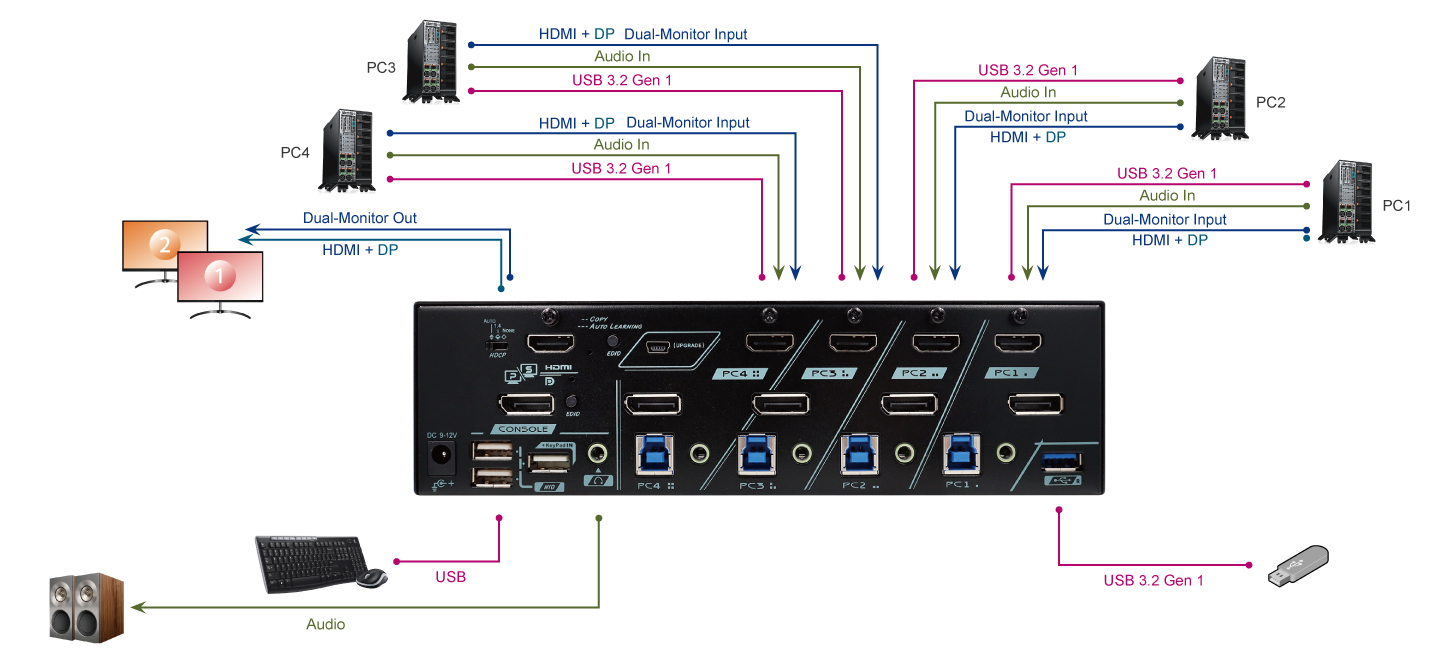
The ASVPM-G3124 operates as a standard four-port, dual-head KVM switch. It simultaneously switches DisplayPort (DP) and HDMI signals from connected PCs to DP and HDMI monitors at the console port.

Unique Asynchronous Switching Function

Unique Asynchronous Switching Function
The Hybrid View Mode KVM Switch ASVPM-G3124 supports asynchronous switching technology, enabling independent switching of video output displays for the primary and secondary screens. This feature allows users to perform primary tasks on the main-screen while monitoring auxiliary information on the sub-screen, effectively assisting in managing complex application scenarios.
When the hybrid view mode is enabled, the KVM switch provides a console swap function that allows you to switch your console (KB/MS) between the DP and HDMI monitors.
Applications: Freely Assign Monitors to Different PCs
- Use PC1 with Monitor 1 (Main)
- Use PC4 with Monitor 2 (Sub)
- Or sometimes use PC1/PC2/PC3/PC4 with both Monitor 1 and Monitor 2

PC Hibernation Mode
The flexible energy-saving setting allows the connected PCs to go into sleeping states or stay alert all the time. To enable or disable the energy-saving function, the KVM host port hibernation setting must match the operating system setting.
Port Lock Function (Host PC Port 2~Port 4)
The PC port lock function is dedicated and designed for privacy purposes; it allows host ports to be locked or unlocked and prevents the accidental access of the connected PCs.
USB and Audio (Asynchronous Switching)
Rextron 4 ports KVM switch supports not only USB HID keyboard mouse operation but excellent I/O speed 5Gbps USB 3 peripheral sharing without any software or driver installation applicable to Windows, Mac, Linux, and Chrome O.S. A unique tracking system enables the Audio/ USB device to be operated independently, which is useful if you want to listen to music or transfer file data from one particular computer while operating another PC.
Auto Scan & Manual Scan
To monitor the real-time computer status of each PC port, The Rextron 4K dual monitor KVM switch supports Auto Scan function to automatically scan power-on computers sequentially at a fixed time interval, and also provides Manual Scan function, via keyboard clicking, to manually select the computer one after another.
Special Design for HDCP Management
Exclusive HDCP slide switch on the rear panel allows users to select the 3 preset HDCP modes:
Mode-1: Auto mode allows HDCP 2.2 or HDCP 1.4 content pass-thru
Mode-2: This mode allows HDCP 1.4 content to be licensed
Mode-3: NONE mode allows non-HDCP content to be played

Keypad-IN Function

Keypad-IN Function
The latest KVM maneuvering functionality, the Keypad-IN function, is the most cost-effective and user-friendly way to perform KVM control via wired or wireless Keypad. Just plugging the inexpensive, easily bought wireless Keypad into the specific USB hub port of the KVM switch, users can enjoy all the KVM control functions remotely.
- No Software or driver required for operation
- KVM PC port switching via Standard Numeric Keypad
- Every KEY of the keypad can be customized with specific command line (Contact Rextron for Customization)
FAQ Content
Q1: What are the benefits of the "Asynchronous Switching" feature on the Rextron ASVPM-G3124?
A: Asynchronous Switching allows the user's two monitors to operate independently. For example, a user can have Monitor A display a specific computer (such as a surveillance host) while simultaneously switching Monitor B to operate other computers. You can also switch both back to display the same source (extended mode). Compared to traditional synchronous KVMs, this offers immense multitasking flexibility, making it especially suitable for professional scenarios that require continuous data monitoring.
Q2: Does this KVM support 4K resolution and HDCP content?
A: Asynchronous Switching allows the user's two monitors to operate independently. For example, a user can have Monitor A display a specific computer (such as a surveillance host) while simultaneously switching Monitor B to operate other computers. You can also switch both back to display the same source (extended mode). Compared to traditional synchronous KVMs, this offers immense multitasking flexibility, making it especially suitable for professional scenarios that require continuous data monitoring.
Q2: Does this KVM support 4K resolution and HDCP content?
A: Yes, the ASVPM-G3124 supports true 4K 60Hz (4:4:4) resolution for crystal-clear visuals. It also features a built-in HDCP Engine, ensuring seamless playback of protected content (such as streaming services or Blu-rays) without black screens or signal interruptions.
Q3: Will my windows get rearranged when switching computers (Window Resizing)?
A: No. The device features an advanced EDID Emulator. It continuously sends display signals to all connected PCs. Even when you switch away from a computer, the OS still detects the monitor connection, so your windows and icons remain exactly where you left them when you switch back.
Q4: How do I control the switching between computers?
A: The product comes with a dedicated Keypad. It offers intuitive push-button control, allowing you to instantly select which computer is displayed on Monitor A or Monitor B independently.
Q5: Does this device require drivers or software installation?
A: No. The Rextron ASVPM-G3124 is a pure hardware solution. It is Plug & Play and works seamlessly with Windows, Mac, Linux, and other operating systems without any software requirements.
Would you like to stay up to date with the latest KVM solutions and releases? Subscribe to the Rextron Newsletter below.
- 4 Ports KVM Switch Allows 4 PCs Share 1 Set of KVM Console
- DP 1.2 & HDMI 2.0 Hybrid Videos Supports Most Popular Resolutions Up to 4K@60Hz, and Optimizes for Modern GPU Interfaces
- ASYNC Vu Technology Enhances Workflow Efficiency by Empowering Asynchronous DP / HDMI Switching
- EDID Management Allows Independent ( DP / HDMI ) EDID Storage / Emulation to Minimize Display Incompatibility Issue
- HDCP Management Allows Proper HDCP Version Selection, and Ensures Proper 4K Video Playback ( Blue-Ray )
- HDCP Engine Emulates Display Existence to Empower Fast Switching
- KB/MS Focus Swap Allows Quick Control Switchhing between Selected PCs
- HDR Delivers Richer Contrast & Color Depth for HDR Displays, Enhancing Visual Quality of HDR Video
- Flexible Switching Control Methods :
- Front Push Buttons
- Hotkey Control
- Keypad IN
- USB 3.2 Gen 1 Empowers USB Device Sharing
- Front and Rear USB HID & 3.2 Ports Allow Easy Access
- Plug-and-Play without Software or Driver
- Auto Scan / Manual Scan / Selectable Auto Scan Interval