
8K Content Creation KVM Switch 4 Monitors 4 Computers, EDID, HDCP Engine, Audio Embedder Extractor, 10Gbps Type-C, Serial and Keypad Control, and Asynchronous AV Switching
ASVMM-8KT3144
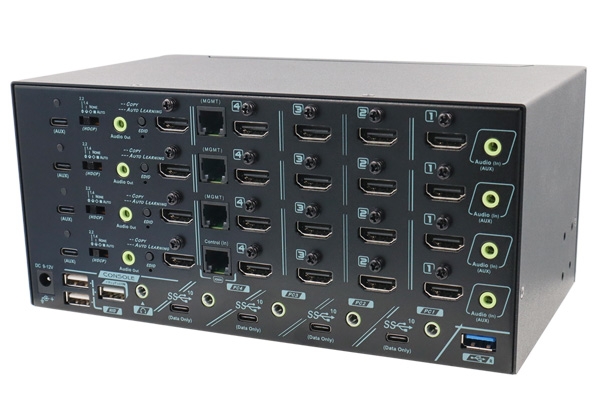
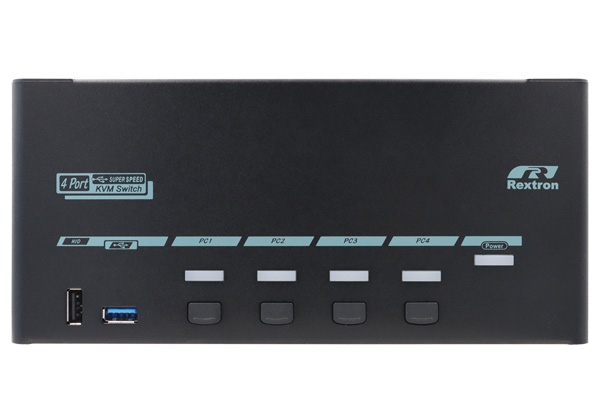
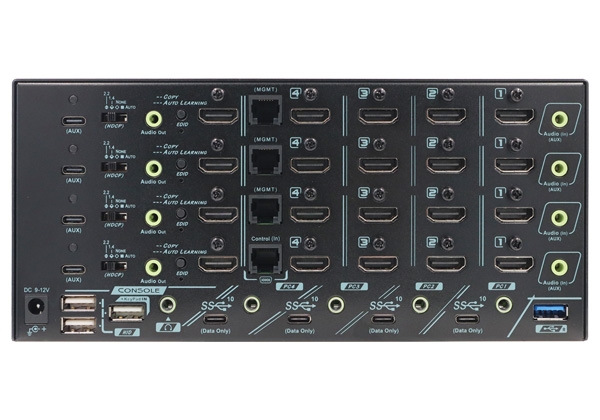
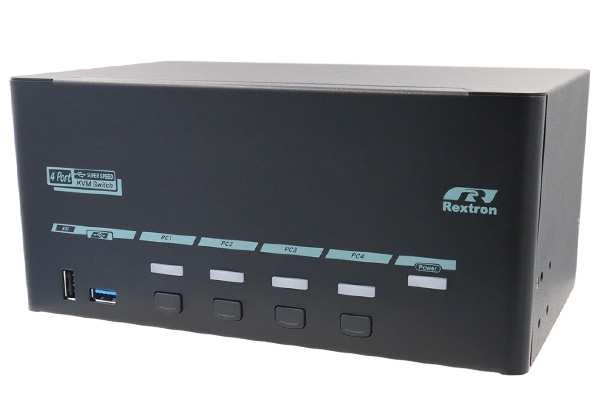
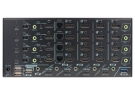
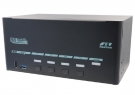
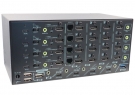
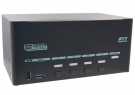
8K Content Creation KVM Switch 4 Monitors 4 Computers, EDID, HDCP Engine, Audio Embedder Extractor, 10Gbps Type-C, Serial and Keypad Control, and Asynchronous AV Switching, ASVMM-8KT3144
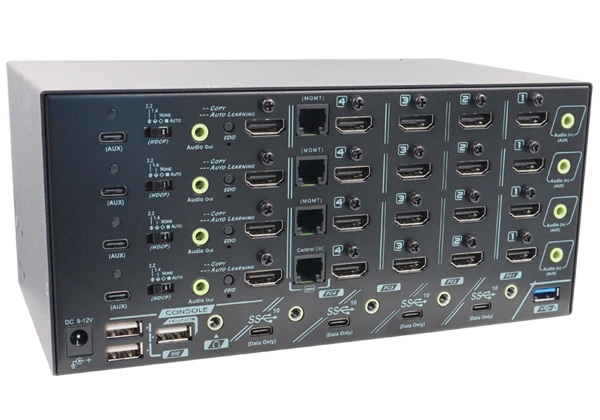
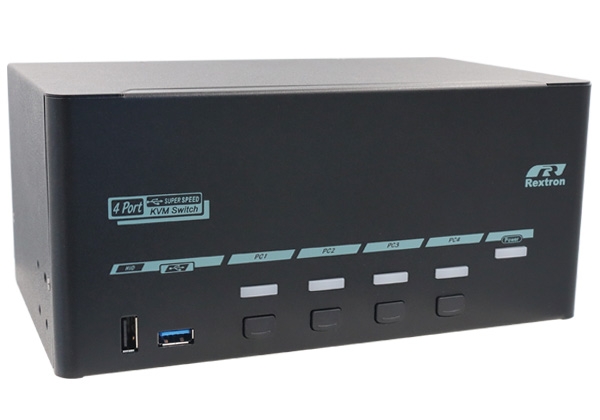
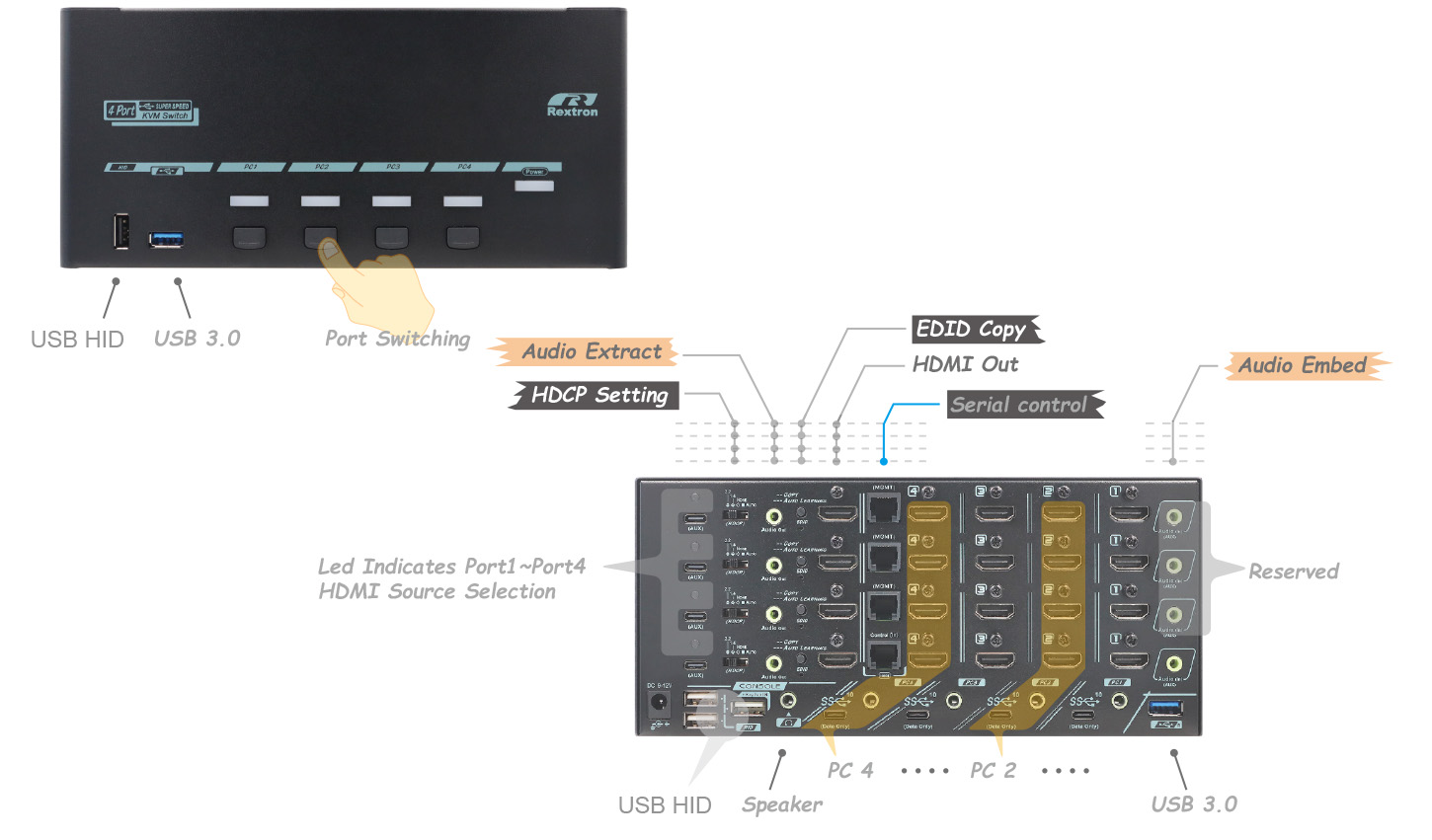
The 8K content creation KVM switch for four monitors and four computers (ASVMM-8KT3144) enables switching between all possible combinations of four computers and four monitors. This 4-port asynchronous quad monitor KVM switch supports 'independent video switching" or 'video parking' functions, enabling you to assign different monitors to display video outputs from the same or different connected PCs. The quad-view setup extends your desktop, expanding your work area across displays and enhancing productivity. The KVM unit's dedicated USB ports, located at the front and rear, are suitable for both long-term and temporary access to USB peripherals. The built-in advanced HDCP engine and HDCP management function prevent misalignment issues when switching ports. The EDID copy buttons enable the KVM switch to copy or automatically learn EDIDs from connected monitors, ensuring optimized picture output and preventing flickering or a dark screen. The ASVMM-8KT3144 KVM Switch is the perfect fit for content creators and graphic designers.
Key Features for Creators:
The 8K content creation KVM switch for four monitors and four computers (ASVMM-8KT3144) enables switching between all possible combinations of four computers and four monitors. This 4-port asynchronous quad monitor KVM switch supports 'independent video switching" or 'video parking' functions, enabling you to assign different monitors to display video outputs from the same or different connected PCs. The quad-view setup extends your desktop, expanding your work area across displays and enhancing productivity. The KVM unit's dedicated USB ports, located at the front and rear, are suitable for both long-term and temporary access to USB peripherals. The built-in advanced HDCP engine and HDCP management function prevent misalignment issues when switching ports. The EDID copy buttons enable the KVM switch to copy or automatically learn EDIDs from connected monitors, ensuring optimized picture output and preventing flickering or a dark screen. The ASVMM-8KT3144 KVM Switch is the perfect fit for content creators and graphic designers.
Key Features for Creators:
● Hardware KVM switch lets you share a keyboard, mouse and 4 monitors across PCs or Macs, ideal for editing, design and A/V tasks.
● High resolution high refresh rate support: 7680x4320@60Hz, 5K@120Hz, 4K@144Hz (for gaming/ streaming)
● Multi-monitor setup: Quad monitors support hybrid view mode for more concept input to prioritize tasks and boost productivity
● Peripheral sharing: USB 3.0 hub, USB 3.2 Gen2 10Gbps data transfer and 3.5 mm analogue audio streaming
● High resolution high refresh rate support: 7680x4320@60Hz, 5K@120Hz, 4K@144Hz (for gaming/ streaming)
● Multi-monitor setup: Quad monitors support hybrid view mode for more concept input to prioritize tasks and boost productivity
● Peripheral sharing: USB 3.0 hub, USB 3.2 Gen2 10Gbps data transfer and 3.5 mm analogue audio streaming
Synchronous Switching
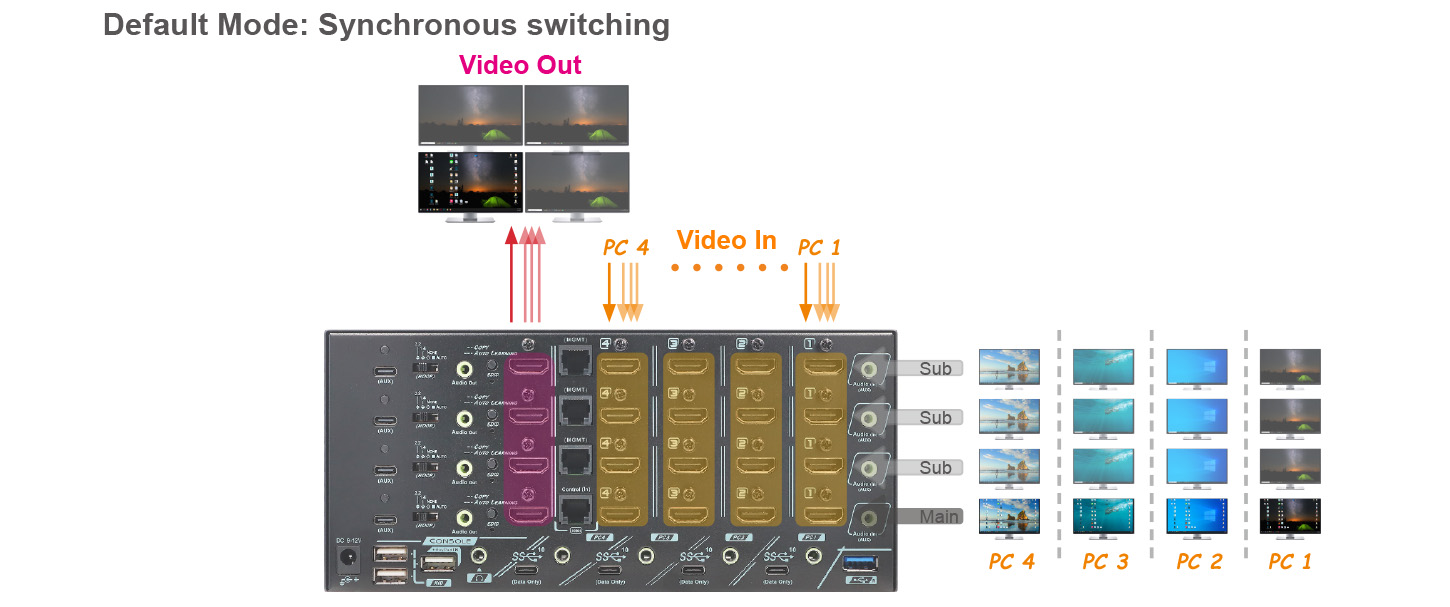
The ASVMM-8KT3144 operates as a conventional, standard, four-port, and quad-head KVM switch. It can simultaneously switch four HDMI signals from the connected PCs to four HDMI monitors at the console port.
Unique Asynchronous Switching Function
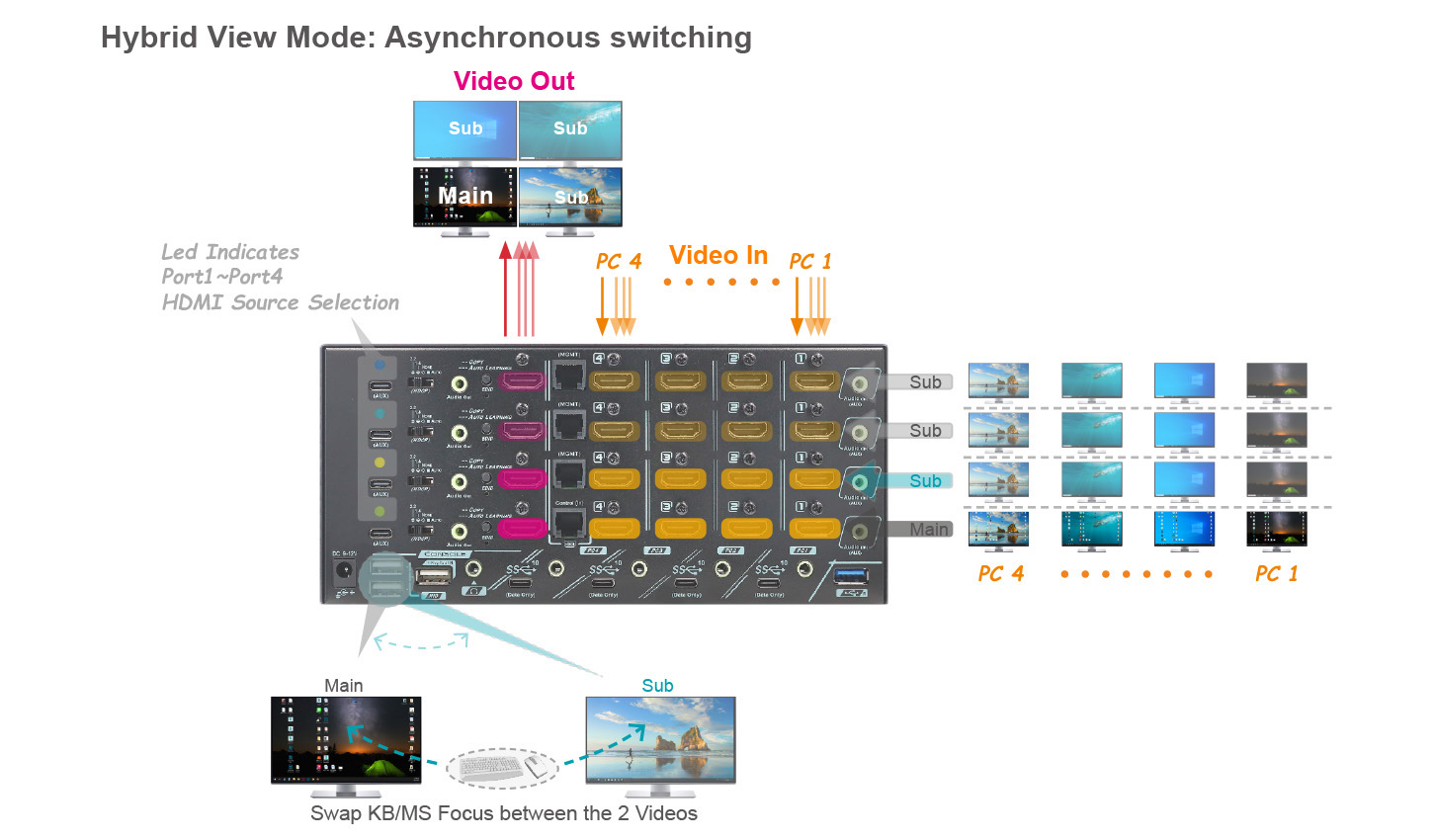
The ASVMM-8KT3144 content creator KVM switch supports asynchronous switching technology, allowing independent switching of video output between the main screen and three sub-screens. This feature allows users to perform primary tasks on the main screen while monitoring auxiliary information on the three sub-screens, which is extremely useful for managing complex application scenarios. When hybrid view mode (i.e., asynchronous switching ready for each screen) is enabled, the KVM switch provides console (keyboard/mouse) anchor point switching, allowing you to switch the console anchor point (keyboard/mouse) between the main and the sub-screen, as shown in the following figure.
PC Hibernation Mode
The flexible energy-saving setting allows the connected PCs to go into sleeping states or stay alert all the time. To enable or disable the energy-saving function, the KVM host port hibernation setting must match the operating system setting.
Port Lock Function (Host PC Port 2~Port 4)
Port Lock Function (Host PC Port 2~Port 4)
The PC port lock function is dedicated and designed for privacy purposes; it allows host ports to be locked or unlocked and prevents the accidental access of the connected PCs.
USB and Audio (Asynchronous Switching)
USB and Audio (Asynchronous Switching)
Rextron 4 ports KVM switch supports not only USB HID keyboard mouse operation but excellent I/O speed 10Gbps USB 3 peripheral sharing without any software or driver installation applicable to Windows, Mac, Linux, and Chrome O.S. A unique tracking system enables the Audio/ USB device to be operated independently, which is useful if you want to listen to music or transfer file data from one particular computer while operating another PC.
Video Editing and Content Creation: 8K HDMI with Audio Embedder & Audio Extractor
Video Editing and Content Creation: 8K HDMI with Audio Embedder & Audio Extractor
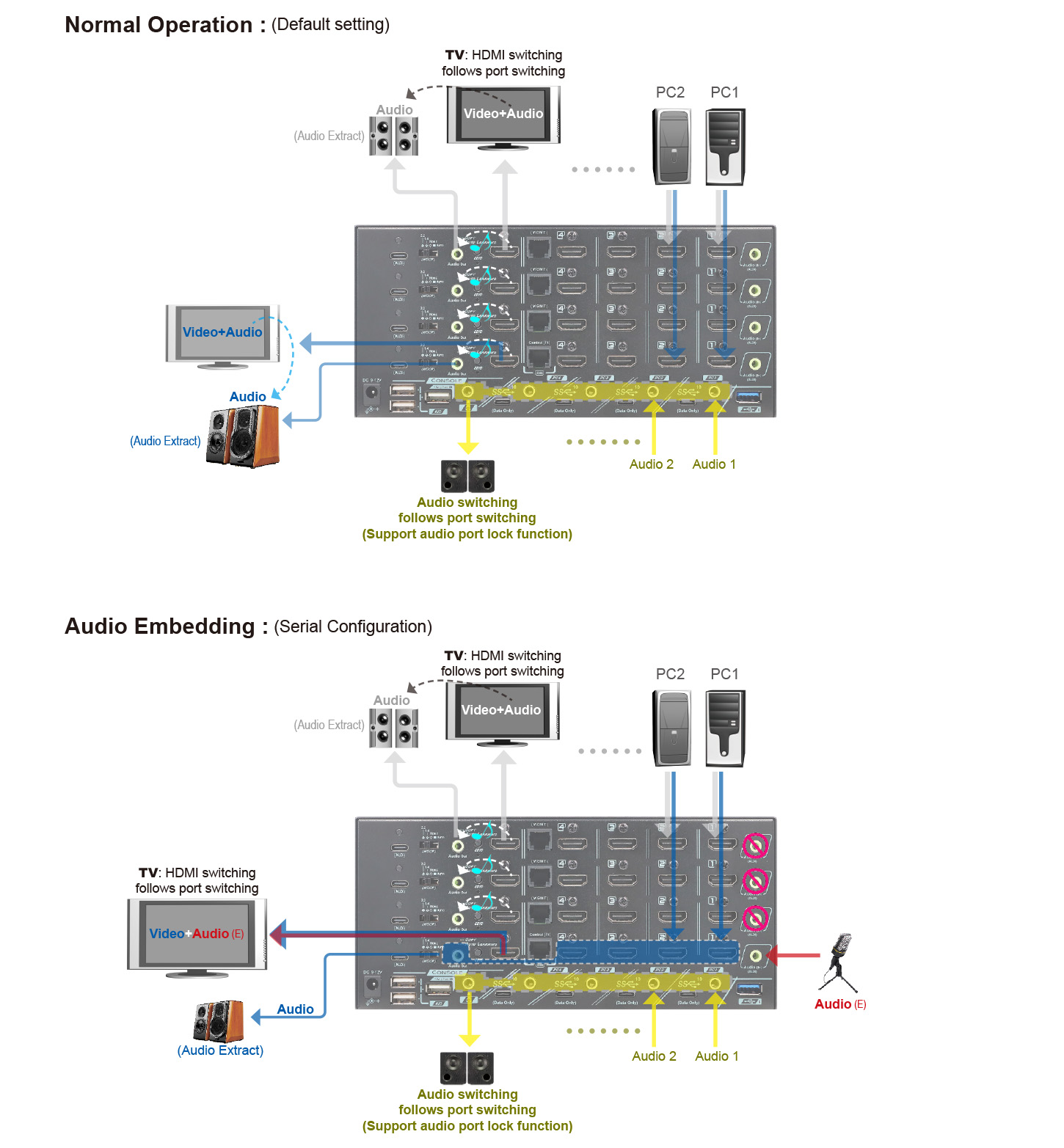
The content creation KVM switch ASVMM-8KT3144 provides four 8K HDMI and 3.5mm audio inputs that bring in multiple audio/video feeds supporting audio embedding and audio de-embedding functions. The audio embedding function embeds audio from a 3.5-mm analog stereo audio to an HDMI signal, while the audio de-embedding extracts the HDMI audio to a 3.5-mm stereo audio. These functions allow users to diversely incorporate the audio signal for more informative contents, such as video editing, by adding or subtracting the voiceover sound and background music.
Auto Scan & Manual Scan
To monitor the real-time computer status of each PC port, The Rextron 8K HDMI quad monitors KVM supports Auto Scan function to automatically scan power-on computers sequentially at a fixed time interval, and also provides Manual Scan function, via keyboard clicking, to manually select the computer one after another.
Special Design for HDCP Management
Special Design for HDCP Management
Exclusive HDCP slide switches on the rear panel allow users to select the 4 preset HDCP modes:
Mode-1: Auto mode allows HDCP 2.2 or HDCP 1.4 content pass-thru
Mode-2: NONE mode allows non-HDCP content to be played
Mode-3: This mode allows HDCP 1.4 content to be licensed
Mode-4: Allows HDCP 2.2 content to be licensed
Serial Console
Serial Console
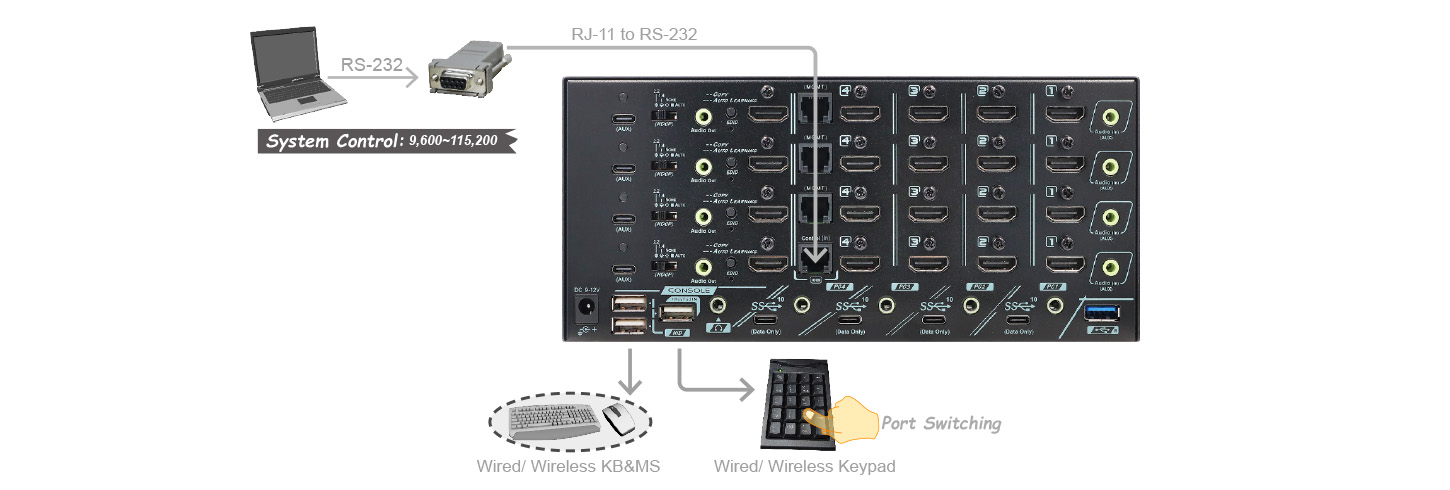
The KVM switch supports various ways of control that can be done thru front-panel buttons, Hotkey function, or RS-232 serial port. The RS-232 serial control, built-in RJ-11 serial interface, provides users easy and friendly KVM operation. The unique Serial Port (RJ-11 to RS-232 Adapter required) supports various baud rate settings of 9,600~115,200 (8 Baud-rates Selectable)
Keypad-IN Function
The latest KVM maneuvering functionality, the Keypad-IN function, is the most cost-effective and user-friendly way to perform KVM control via wired or wireless Keypad. Just plugging the inexpensive, easily bought wireless Keypad into the specific USB hub port of the KVM switch, users can enjoy all the KVM control functions remotely.
● No Software or driver required for operation
● KVM PC port switching via Standard Numeric Keypad
● Every KEY of the keypad can be customized with specific command line (Contact Rextron for Customization)
● Unique Async VU Technology Empowers Independent Switching of Each Video Tunnel
● Allows 4 PCs Share 1 Set of Quad-Monitor KVM Console
● Most Popular Resolutions Supported by HDMI 2.1 Up to 8K@60Hz ( 4:4:4 ), DSC, HDR, VRR, FRL, TMDS
● EDID Management ( Replicate / Auto Copy / Manual Copy )
Emulates FRL / TMDS EDID to Ensure Display Compatibility, Low-Latency Switching, Uninterrupted 4K Video Playback
● HDCP Management ( 2.2 / 1.4 / None / Auto ) Ensures Proper 4K Video Playback ( Blu-Ray )
● Dual Independent USB 3.2 Gen 2 ( Front / Rear ) Empowers Easy Access, Device Sharing, Data Backup
● Independent Audio Switching, & HDMI Audio Extract / Embed Facilitate Connection to the Audio System
● 4 Flexible Switching Control Methods :
- Keypad IN Control
- RS-232 Serial Control
- Hotkey Control
- Front Push Buttons
● Keypad IN Allows Remote Switching Control by Wired / Wireless USB Numeric Keypad
● SYNC Mode Links 2 KVM Switches to Add Video Tunnels
● Manual-Scan / Auto-Scan and Selectable Scan Interval